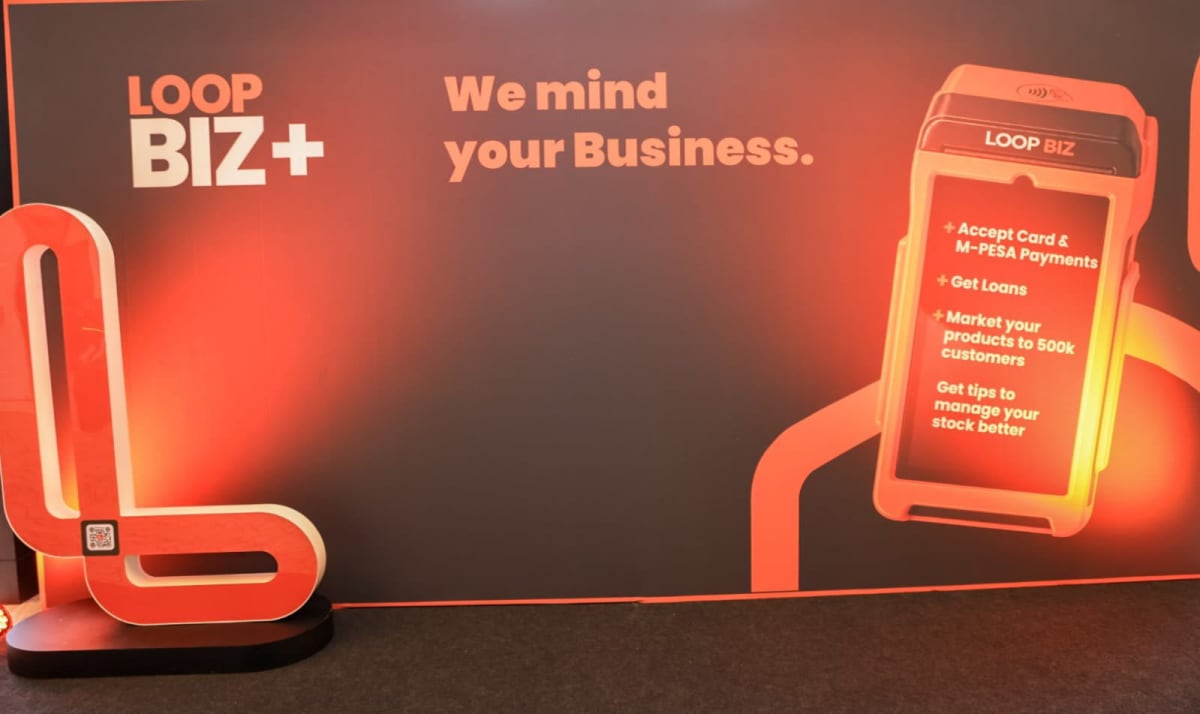


Kenyan businesses seeking to streamline payment collection can now use LOOP BIZ+ POS machines to receive payments through M-Pesa, LOOP accounts and bank cards, providing merchants with an additional option for managing customer transactions.
The payment devices are designed for registered companies, partnerships and businesses, allowing merchants to process different types of payments through a single terminal rather than relying exclusively on cash or mobile money transfers.
However, businesses planning to acquire the machines need to understand the costs involved, operating requirements, transaction procedures and conditions attached to their use.
According to LOOP's Frequently Asked Questions (FAQs) document obtained by Vantage Ke, LOOP BIZ+ POS machines are provided under a leasing arrangement, meaning merchants cannot purchase the devices outright and obtain full ownership.
Here is a breakdown of how LOOP BIZ+ POS works, the charges involved and the requirements businesses must meet before applying.
1. Which Businesses Qualify for LOOP BIZ+ POS?
LOOP BIZ+ POS machines are available to registered companies, partnerships and businesses. Businesses already operating LOOP BIZ Tills can apply for the devices through the LOOP BIZ portal.
The number of machines a business can obtain depends on its operational requirements, including the number of stores and Tills available. However, applications are subject to assessment by the business's account manager before approval.

LOOP estimates that application processing takes approximately 24 hours on a working day, although the timeline depends on approval and the location of the business.
Once an application has been successfully placed, delivery to the business premises is estimated to take between 24 and 48 hours on working days.
2. How Much Does LOOP BIZ+ POS Cost?
One of the key considerations for businesses is the cost of acquiring and operating the payment devices.
LOOP confirms that LOOP BIZ+ POS machines attract leasing charges determined by the business's requirements. The actual costs are outlined in the application form, while the POS device also comes with a fee included in the starter pack.
Unlike businesses that purchase payment equipment outright, merchants using LOOP BIZ+ POS cannot acquire full ownership of the machines. The devices remain LOOP's property and are provided under agreed leasing terms and conditions.
LOOP is responsible for repairs and servicing, although businesses may incur additional charges where physical damage to a device is established.
Where a machine develops a technical fault that cannot be resolved, LOOP indicates that it will be replaced at no cost.
3. Payment Methods Accepted by LOOP BIZ+ POS
The machines support three main payment options: M-Pesa, LOOP and bank cards.
For M-Pesa payments, merchants select the mobile money option, enter the transaction amount and provide the customer's mobile number. The customer then receives an STK push notification on their phone and completes the payment.
LOOP customers can similarly authorise transactions through an STK prompt sent to their LOOP application.
For card transactions, customers can use Visa, Mastercard and LOOP cards. The merchant selects card payment, enters the amount and asks the customer to insert, tap or swipe their card. Where required, the customer enters their PIN before the transaction is approved.
Once a payment is successful, the merchant receives a notification on the POS screen and an SMS containing the transaction details on the registered business mobile number. A receipt can also be printed for the customer.
4. Can Businesses Operate LOOP BIZ+ POS Without Internet?
No. LOOP BIZ+ POS machines require an active internet connection through Wi-Fi or mobile data to process transactions and perform other functions. This means merchants cannot continue processing payments when their devices are offline.
Businesses experiencing connectivity problems are advised to check their Wi-Fi or mobile data connection and SIM card, where applicable.

LOOP also recommends restarting the device or logging out and logging in again if connectivity problems persist.
The machines can operate around the clock, provided they remain powered on and connected to the internet. However, businesses cannot freely transfer their devices to different locations because each machine is mapped to a specific LOOP Till and assigned business premises. Mobile businesses can request temporary roaming access through LOOP Support.
5. Rules Governing Refunds, Voids and Reversals
LOOP has different procedures for handling incorrect, duplicate or unsuccessful transactions.
A void cancels a transaction before settlement and is only available for transactions conducted on the same day that have not yet been settled. A refund, on the other hand, returns money to a customer after settlement and can be processed on the same day or later.
Merchants initiate refunds by opening the Transactions section, selecting the relevant payment and choosing the refund option.
Reversals are available for duplicate payments, incorrect amounts and technical system errors. Merchants can initiate a reversal through the Transactions section by selecting the payment and choosing Reverse.
The reversal timeline depends on the payment method. LOOP Card and LOOP Pay transactions are reversed immediately after administrator authorisation, while other bank transactions may take up to two working days.
Importantly, M-Pesa reversals must be returned to the original number used to make the payment. Merchants cannot redirect the money to another mobile number.
6. Security Measures and What Happens If a Machine Is Stolen
LOOP says its LOOP BIZ+ POS devices use PCI-DSS-compliant card processing, end-to-end encryption and secure merchant authentication to protect transactions.
Businesses are nevertheless required to restrict access to authorised personnel and keep their machines secure. If a device is lost or stolen, merchants should immediately notify LOOP Support and deactivate it through the LOOP BIZ portal under the POS section.
Only administrators can change the POS password. Staff members who forget their passwords must contact the account administrator for assistance.
7. How Businesses Can Access LOOP Support
Merchants experiencing technical problems can seek assistance through several channels. These include the in-app Get Support feature, LOOP's call centre, physical LOOP stores and the official business support email.
The company lists the following contact numbers:
+254 709 714444
+254 730 714444
Businesses can also email Businesssupport@loop.co.ke or reach the company through its official X account, @LOOP_KE.
Overall, LOOP BIZ+ POS provides businesses with a way to consolidate M-Pesa, LOOP and card payments through one device. However, merchants must factor in leasing costs, internet requirements, location restrictions and transaction settlement rules before applying.